
Productivity & Personal OneNote Templates
Introducing the Productivity and Personal OneNote Templates pack, which includes minimalistic OneNote templates to help you stay productive while keeping your personal life organized. These templates are re-usable and can be seamlessly synchronized across all your devices with OneNote installed. This product is a templates pack (no calendar pages).
NOTE: If you want to import your planner to a work or school Microsoft account using MacOS or OneNote for Windows 10, workarounds are available here.
✨ FEATURES
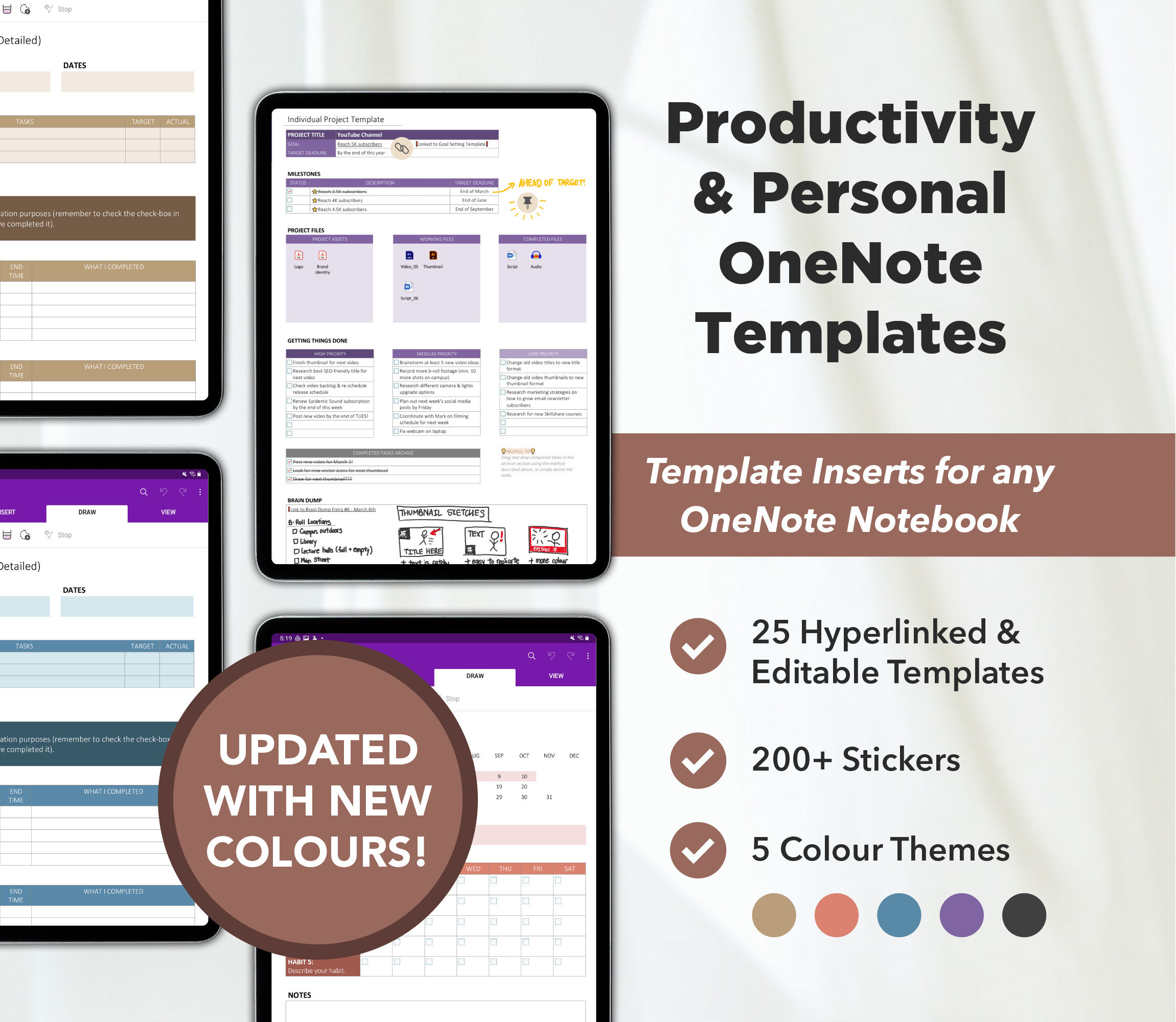
25 x OneNote Planner Templates
Fully customizable & unlimited number of pages & sections
Add your own custom hyperlinks to any pages in any OneNote notebook
Change any fonts, colours, boxes, & tables
Seamless synchronization across all your devices with the OneNote app installed (iPhone, iPad, Android phone/tablet, Windows computer, Mac, etc.)
5 pre-made colour packs (all colours are customizable)
200+ PNG digital stickers to decorate your planner
📓 TEMPLATES LIST
The following templates are included in this product:
Productivity Templates
1. Goal Setting Template 2. Goals Tracking Index 3. Monthly Brain Dump Tracker 4. Monthly Habit Tracker 5. Weekly Habit Tracker 6. To-Do List 7. Pomodoro Session (Simple) 8. Pomodoro Session (Detailed) 9. Side Projects Tracker 10. Individual Project Template 11. Find A New Hobby Planner 12. Brainstorming Template (Prompts) 13. Brainstorming Template (SWOT) 14. Mind Map Template
Personal Life Templates
15. Password Manager 16. Files Tracker 17. Life Vision Board 18. 30-Day Challenge Template 19. Monthly Chores Tracker 20. Weekly Chores Tracker 21. Monthly Cleaning Tracker 22. Daily Medication Tracker 23. Movies Watch List 24. TV Shows Watch List 25. Reading List
⬇️ DIGITAL DOWNLOAD CONTENTS
25 x OneNote Planner Templates
1 x OneNote notebook with 5 pre-made colour themes
PDF with HEX codes of colour used
200+ PNG stickers useable for any digital documents, planners, etc.
Detailed PDF guide showing you how to import this planner and how to copy templates to other OneNote planners